Free World Clock Tool: Track Multiple Time Zones for Remote Teams
If you work with international clients or have teammates spread across the globe, you know the pain of figuring out "what time is it there right now?" I built this World Clock tool because I was tired of Googling time zone conversions every single day.
What Makes This World Clock Different
Most online world clocks just show you the time in different cities. That's cool, but it doesn't really solve the problem of scheduling meetings or knowing when your colleagues are actually at work.
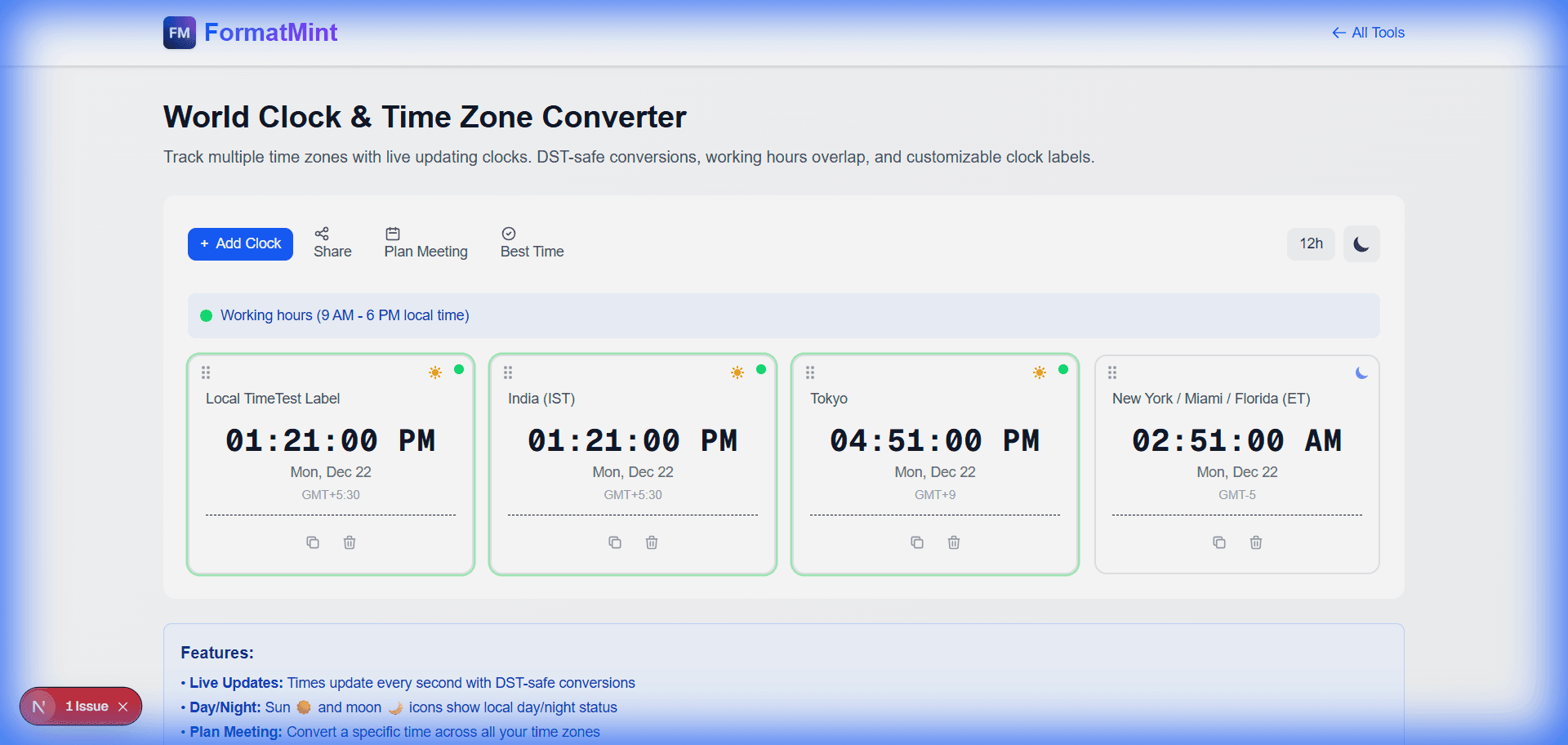
Our tool goes beyond just displaying times. It helps you:
- See who's awake at a glance with sun and moon icons
- Spot working hours instantly with green indicators for 9 AM to 6 PM
- Plan meetings across zones without mental math
- Find overlapping hours when everyone can actually meet
How the Meeting Planner Works
Let's say you need to schedule a call with your team in New York. You're in India and wondering what time works for both of you.
Click the "Plan Meeting" button, pick a time like 10:00 AM, and select your timezone. The tool instantly shows you what that time looks like for everyone else on your list.
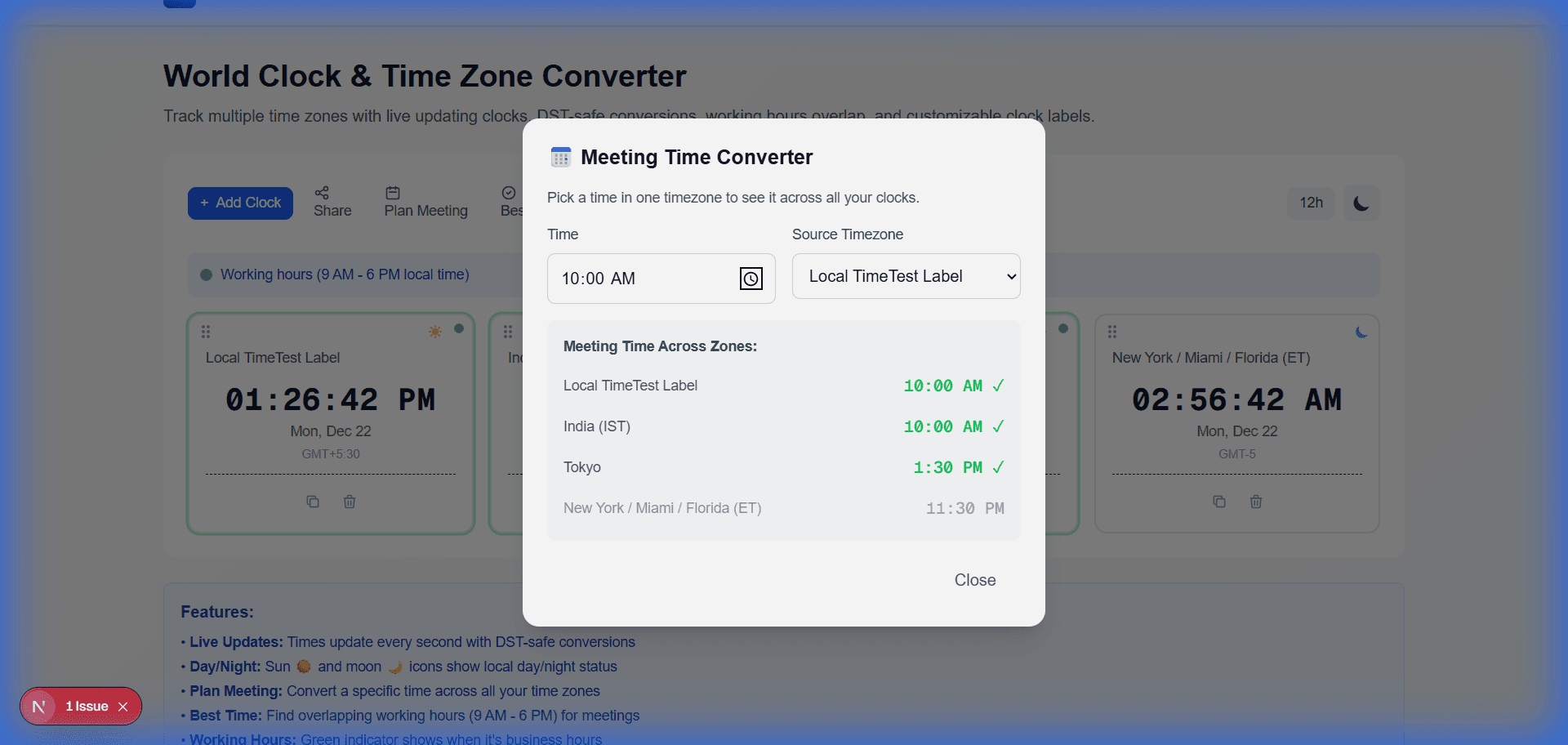
Green checkmarks appear next to times that fall within normal working hours. No more accidentally scheduling 3 AM calls for your teammates.
Finding the Best Meeting Time
Here's something really useful. Click "Best Time" and the tool scans through every hour of the day to find when all your selected time zones overlap in their working hours.
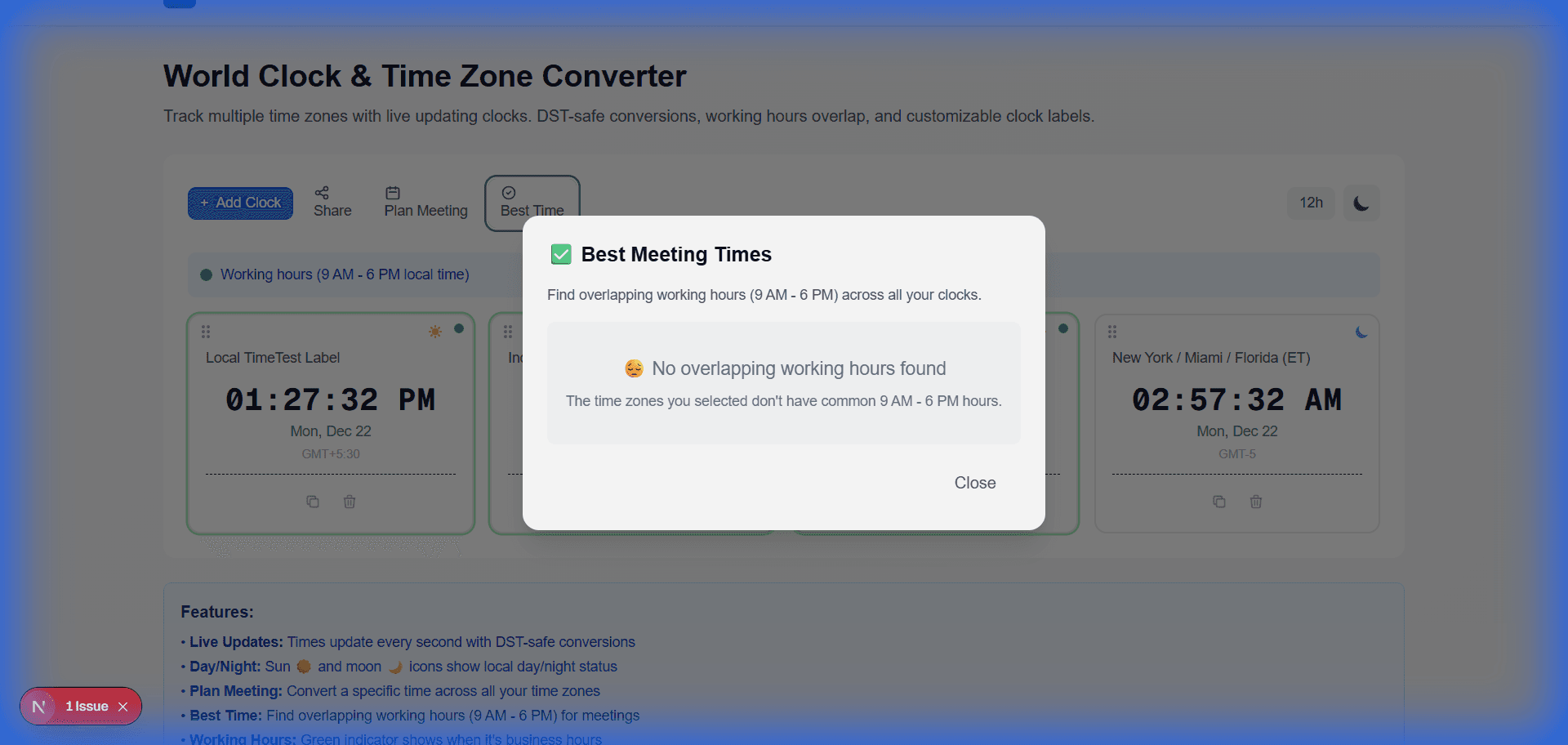
If there's no overlap (which happens a lot between India and the US East Coast), the tool tells you straight up. At least then you know to look at early morning or late evening options.
Features That Actually Help
Day and Night at a Glance
The sun and moon icons next to each clock tell you immediately whether it's daytime or nighttime in that location. No more wondering if you're about to call someone at 2 AM.
Drag and Drop Ordering
Arrange the clocks however you want. Put your most frequently checked time zones at the top. The order saves automatically.
Dark Mode
For those late night work sessions, toggle dark mode to give your eyes a break.
Shareable Links
Need to share your time zone setup with someone? Click Share to copy a link that preloads all your clocks for whoever you send it to.
Time Zones Included
The tool comes loaded with all the important ones:
- US Time Zones: New York, Chicago, Denver, Los Angeles, Phoenix (which doesn't do daylight saving), Alaska, and Hawaii
- Popular Global: India, London, Paris, Tokyo, Singapore, Dubai, Sydney, Auckland
- Additional: Toronto, Vancouver, Seoul, Bangkok, São Paulo, Lagos, Johannesburg
By default, it shows India (IST) and New York/Florida (EST) since that's one of the most common remote work combinations.
Why I Built This
I live in India and work with clients in the US. Every single day I was converting times back and forth, trying to figure out "if it's 9 PM here, is that too late for them?" or "can we do a morning call that works for both of us?"
The existing tools online either looked outdated, showed too many ads, or just weren't practical for actual work scheduling. So I made something that does exactly what I need.
Try It Out
The World Clock tool is completely free. No signup required. Add any combination of time zones you need and the settings save right in your browser.
If you also work across time zones, give it a shot. And if you think of features that would make it more useful, let me know.