How to Format JSON Online: A Complete Guide
How to Format JSON Online (And Stop Squinting at Brackets)
We've all been there. You make an API call, check the response, and get hit with a wall of text.
{"status":"error","message":"Invalid payload","data":{"code":400,"details":[{"field":"email","error":"required"}]}}
Is that a nested array? Where does the object end? Did I miss a closing brace?
JSON is great for machines, but terrible for human eyes—especially when it's minified. That's why a good JSON formatter is one of the first tools I pin in my browser.
The "Trailing Comma" Nightmare
Beyond just reading data, writing JSON by hand is surprisingly fragile. One trailing comma after the last item in an array? Syntax Error. Forgot to quote a key? Syntax Error.
Our JSON Formatter & Validator doesn't just make it pretty; it acts as a sanity check before you paste that config file into production.
Clean Up Your Data in Seconds
Here's how to turn that mess into something readable:
1. Paste the Chaos
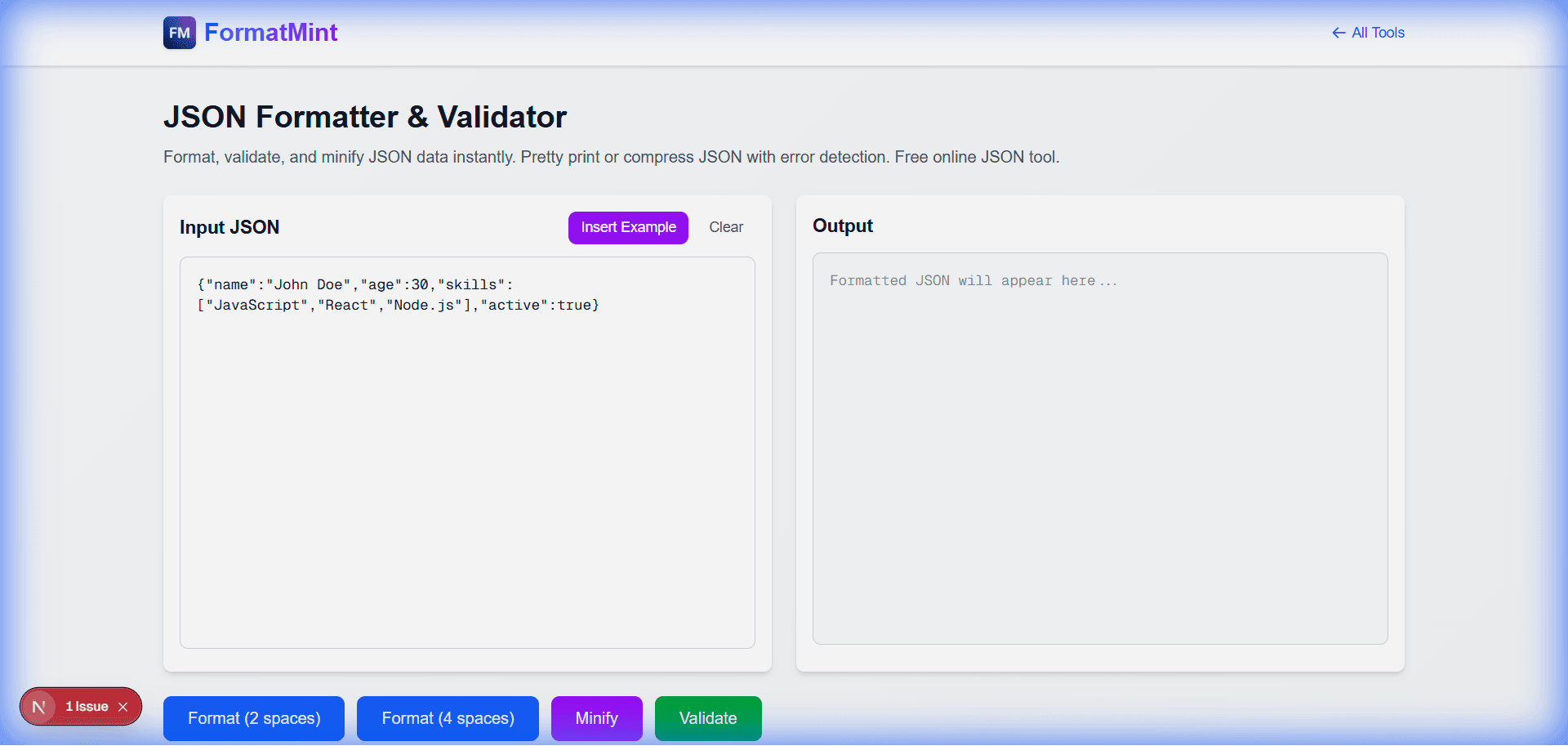
Head to the JSON Formatter. Paste your raw string into the left panel.
2. The "Format" Button
Click Format. The tool instantly indents your code (standard 2-space indentation) and adds proper line breaks.
The Result:
{
  "status": "error",
  "message": "Invalid payload",
  "data": {
    "code": 400,
    "details": [
      {
        "field": "email",
        "error": "required"
      }
    ]
  }
}
Now you can actually see that the error is in the details array.
3. Validate as You Type
If you're writing JSON from scratch, the tool watches your back. If you miss a quote or a bracket, it'll flag the specific line immediately. No more running your code just to have it crash on line 1.
Pro Tip: Minify for Production
Once you're done editing, hit Minify. This strips out all the whitespace, making the payload as small as possible. This is perfect for:
- Saving config files to save space.
- Sending data over the network.
- Storing JSON in a database column.
Why Use This Tool?
- It's Local: Your data is processed in your browser. We don't send your API keys or sensitive configs to our server.
- It's Fast: Handles large payloads without freezing your tab.
- It's Strict: It follows the JSON standard perfectly, so you won't get away with invalid syntax.
FAQ
Is my data safe? Yes. Unlike some other tools that send your data to a backend, this runs 100% in JavaScript on your device.
Can it fix errors automatically? It will point them out, but it won't guess what you meant. Auto-fixing JSON is risky (did you mean to close that object there, or later?), so we leave the final edit to you.